

Step into our spend management kitchen and get a taste of the exciting new features we're serving up for your business! This snacking update features automatic travel receipt reconciliation, smarter virtual card budget tracking, and faster bulk actions—plus enhanced security for offline travel bookings. Sounds tasty? Explore what's new and make the most of your platform.
What's cooking ?
Freshly Baked
Automatic Travel Receipt Reconciliation for Shared Corporate Cards
Shared corporate cards just got smarter. When team members book travel using a shared corporate card, the system now automatically links travel receipts to card transactions—even when the traveler and cardholder are different people. The traveler gets their receipt immediately, while the card assignee receives the transaction with the invoice already attached.
No manual forwarding, no chasing receipts, no reconciliation headaches. The system intelligently matches payment details across your organization, ensuring complete spend visibility and automatic compliance documentation. Managing shared corporate cards has never been this effortless.
Enhanced Security for Offline Booking Requests
We've strengthened identity verification for offline booking requests to better protect your travel data. When contacting our travel team, you may be asked to verify your identity with specific account and booking information.
Keep your credentials handy for faster service while we maintain the highest security standards for your corporate travel program.
Served Hot
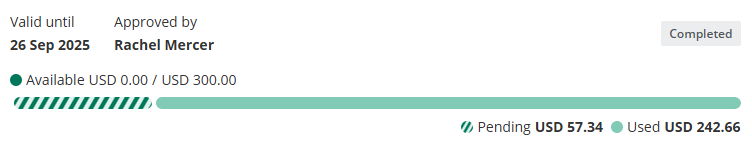
Real-time budget tracking with pending transaction visibility.
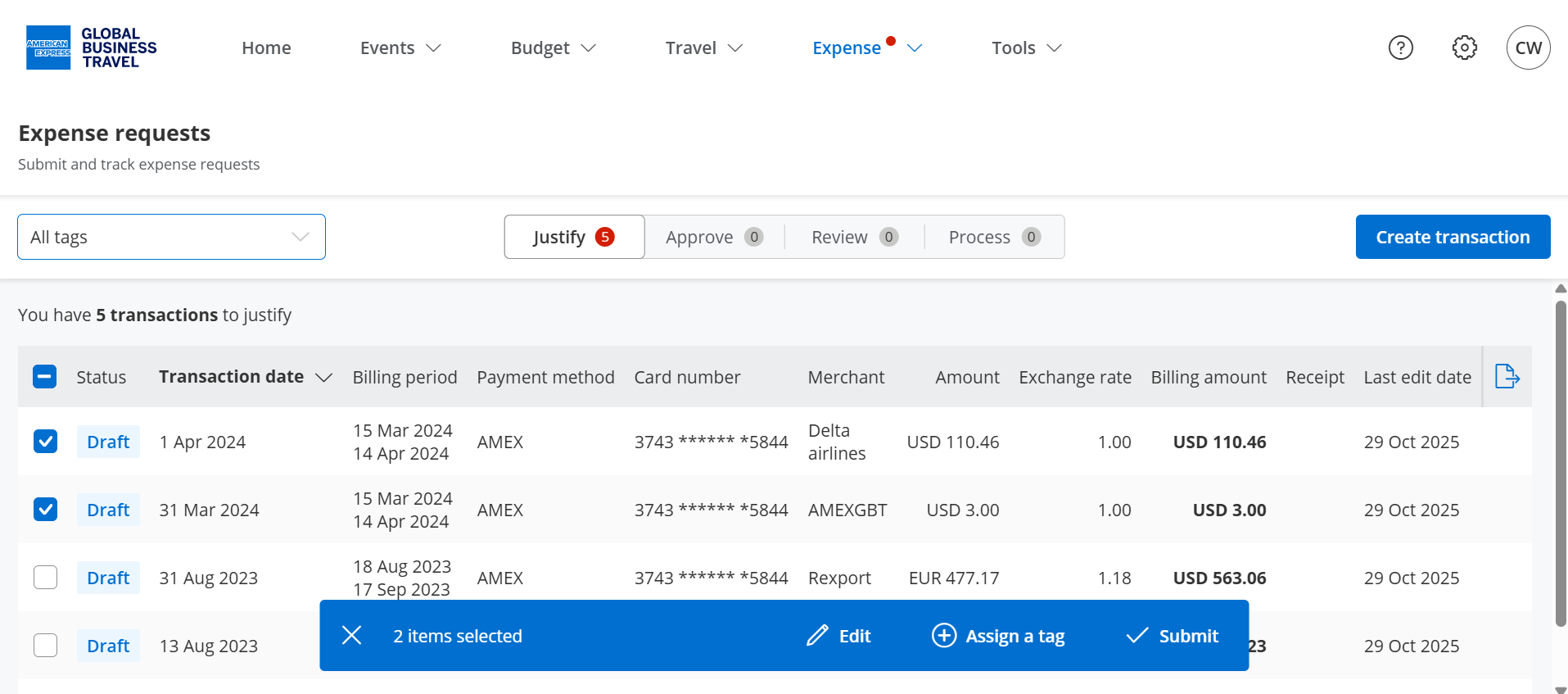
Simplified bulk operations with context-aware action bar.
The Full Menu
Just like a pinch of salt, the following smaller updates are the seasonings that elevate your experience.
- Removed deactivated users from code owner selection in field settings.
- Added toggle to hide deactivated users in people management with dynamic user count.
Our aim is to keep improving everything we do to provide a great experience to our customers, as always any and all feedback is welcome, simply contact us at help@amexgbtone.com.